
How To Optimize Content For Search Engines, A Step-By-Step Workflow You Can Repeat
Learn how to optimize content for search engines with a practical workflow for keywords, on-page fixes, publishing checks, and measurement.
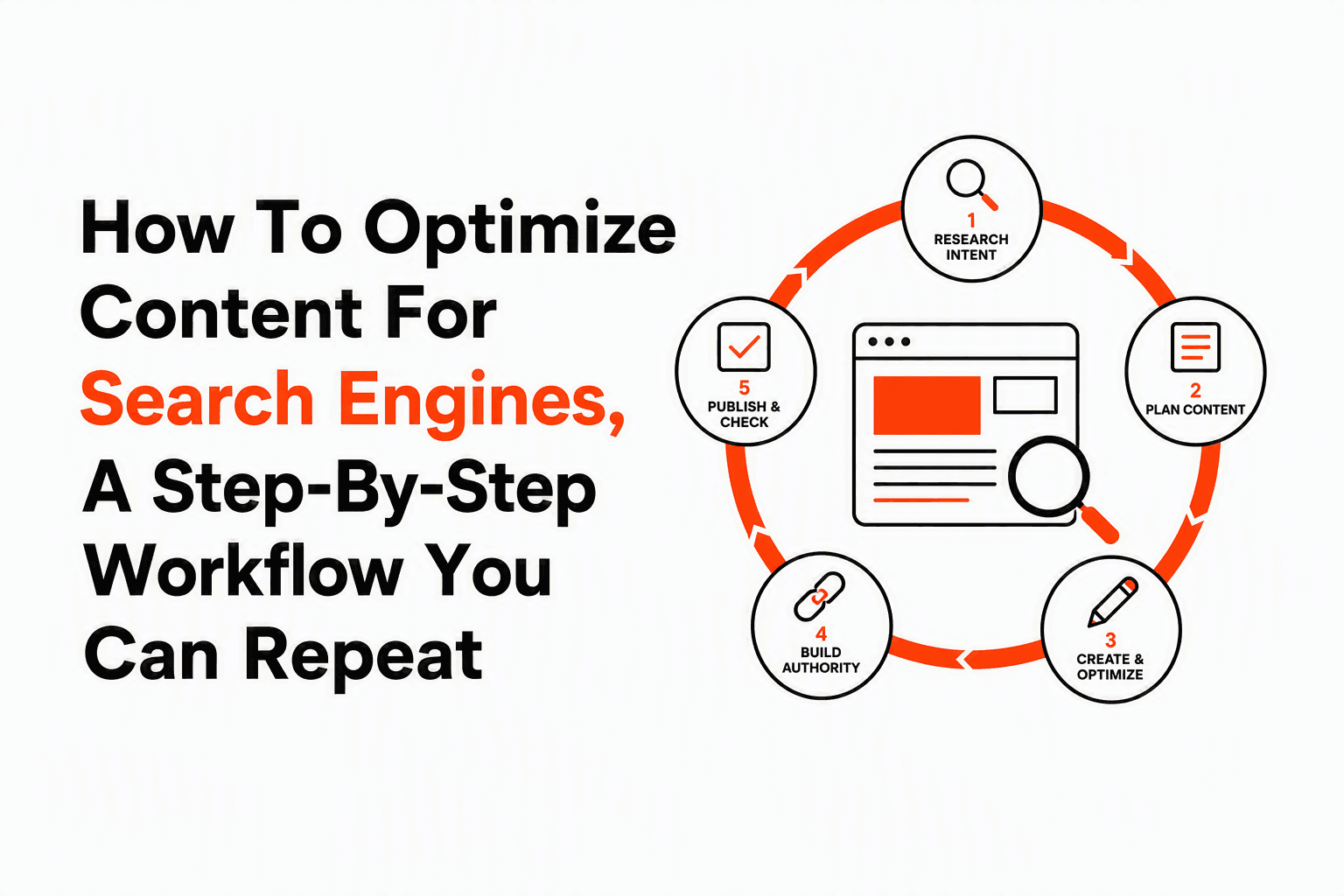
How to optimize content for search engines starts with matching a page to one clear search intent, then improving the page so search engines can crawl, understand, and rank it for that intent. Many beginners focus on repeating terms, but stronger results usually come from clearer structure, better topic coverage, stronger internal links, and a simple review loop after publishing.
- Search performance improves when one page targets one main intent and answers it directly.
- A repeatable workflow beats guesswork: research, update the page, check indexing, then measure queries and click-through rate.
- Most gains come from a short list of fixes first: title, heading structure, intro clarity, internal links, and publish checks.
How To Optimize Content For Search Engines Starts With A Simple Ranking Model
Search engines rank pages by first discovering them, then indexing them, and finally comparing them against other pages for a query. That practical model matters because it stops you from treating SEO as a writing trick. If a page cannot be crawled, it will not be indexed. If it is indexed but weakly aligned to the query, it may still struggle to rank even with perfect formatting.
Crawling, indexing, and ranking in plain English
Crawling means a search engine bot reaches the page through a sitemap, internal link, or external link. Indexing means the page is stored and understood well enough to appear in search results. Ranking is the sorting step, where Google decides which indexed pages best satisfy a query.
Google explains this sequence in its own documentation, and the practical takeaway is simple: keyword repetition does not solve a crawl problem, and a meta description does not solve weak intent match. A page has to be accessible, understandable, and useful in that order.
Why intent match beats keyword density
Intent match means the page answers what the searcher actually wants. For the query how to optimize content for search engines, most searchers want a workflow they can apply today, not a theory-heavy essay about algorithms. A page that gives steps, examples, and post-publish checks will usually be more relevant than a page that repeats the phrase twenty times.
In our experience working with beginner content teams, the biggest early win is narrowing each page to one primary job. Pages often improve after removing mixed intent sections like tool reviews, agency sales copy, and unrelated definitions that distract from the core task.
A quick mental checklist before you edit
Use these three questions before changing any page:
- Can search engines reach the page through internal links and a clean URL?
- Does the page answer one main query better than it answers any other query?
- Can a reader understand the answer from the title, intro, and H2s within 30 seconds?
If the answer to any of those is no, fix that before minor wording changes.
The Step-By-Step Workflow To Optimize One Page From Research To Publish
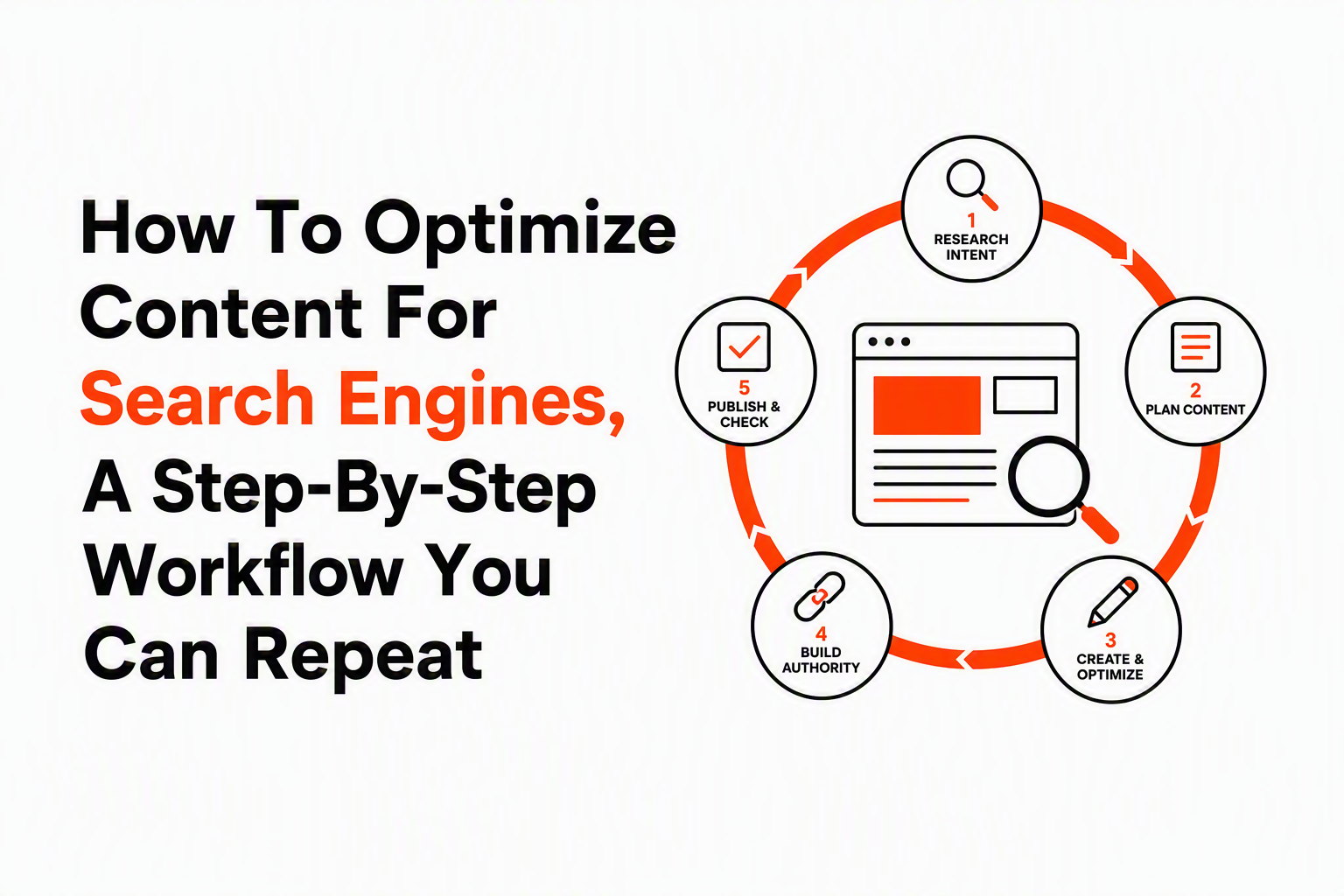
A repeatable optimization workflow has six steps: choose the query, confirm intent, map the outline, improve on-page elements, run QA, and verify indexing after publish. That sequence keeps work focused and gives you a clear done state for every page.
1. Choose one primary query and a few supporting terms
Pick one primary keyword that represents the page's main job. Then collect supporting terms from related searches, autocomplete, People Also Ask, and Google Search Console if the page already exists. Supporting terms are useful because they reveal subtopics, not because they need exact repetition.
For example, a page targeting how to optimize content for search engines might also naturally cover search intent, title tags, internal links, indexing, CTR, and Search Console.
2. Confirm what searchers expect to see
Search intent becomes visible when you review the current search results. Look at the top-ranking pages and note their format, depth, and angle. If the results are mostly step-by-step guides, publishing a short opinion piece is a mismatch. If the results focus on beginners, a technical enterprise audit framework may miss the mark.
Done criteria: you can describe the page in one sentence, such as, “This article teaches beginners how to optimize one page using a practical workflow from keyword research to post-publish checks.”
3. Build an outline that mirrors the task
Structure the page in the order the reader will do the work. For this topic, that means research first, on-page edits second, publishing checks third, and measurement last. That order helps users act immediately and gives search engines clearer topical hierarchy.
If you need a companion workflow for drafting from scratch, see how to do seo content writing.
4. Update the high-impact on-page elements
Focus on elements that change both relevance and click-through behavior:
- Title tag: include the topic naturally and promise the actual outcome.
- H1 and H2s: make the structure scan-friendly and specific.
- Intro: answer the query directly in the first paragraph.
- Body copy: add missing subtopics, examples, and criteria.
- Internal links: connect from related pages using natural anchor text.
- Images and alt text: support the page, do not decorate it randomly.
When we tested title rewrites across instructional pages, the pages that improved most were usually the ones where the title and intro became more specific about the outcome, not the ones where we inserted more keyword variants.
5. Run a short QA pass before publish
QA for content SEO is not complicated. Check that the URL is readable, headings are in logical order, the page has one H1, images load, internal links work, and the page is indexable. Also confirm that the content answers the query near the top instead of hiding the answer after a long setup.
6. Verify indexing and early signals after publish
After publishing, request indexing in Google Search Console if the page is new or heavily updated. Then watch impressions, average position, CTR, and the actual queries that trigger the page. Those signals tell you whether the page is relevant, attractive in results, and easy to understand.
If your next task is drafting a page from zero, this guide on write seo friendly article can help connect writing and optimization into one process.
A Real Before-And-After Optimization Example You Can Copy
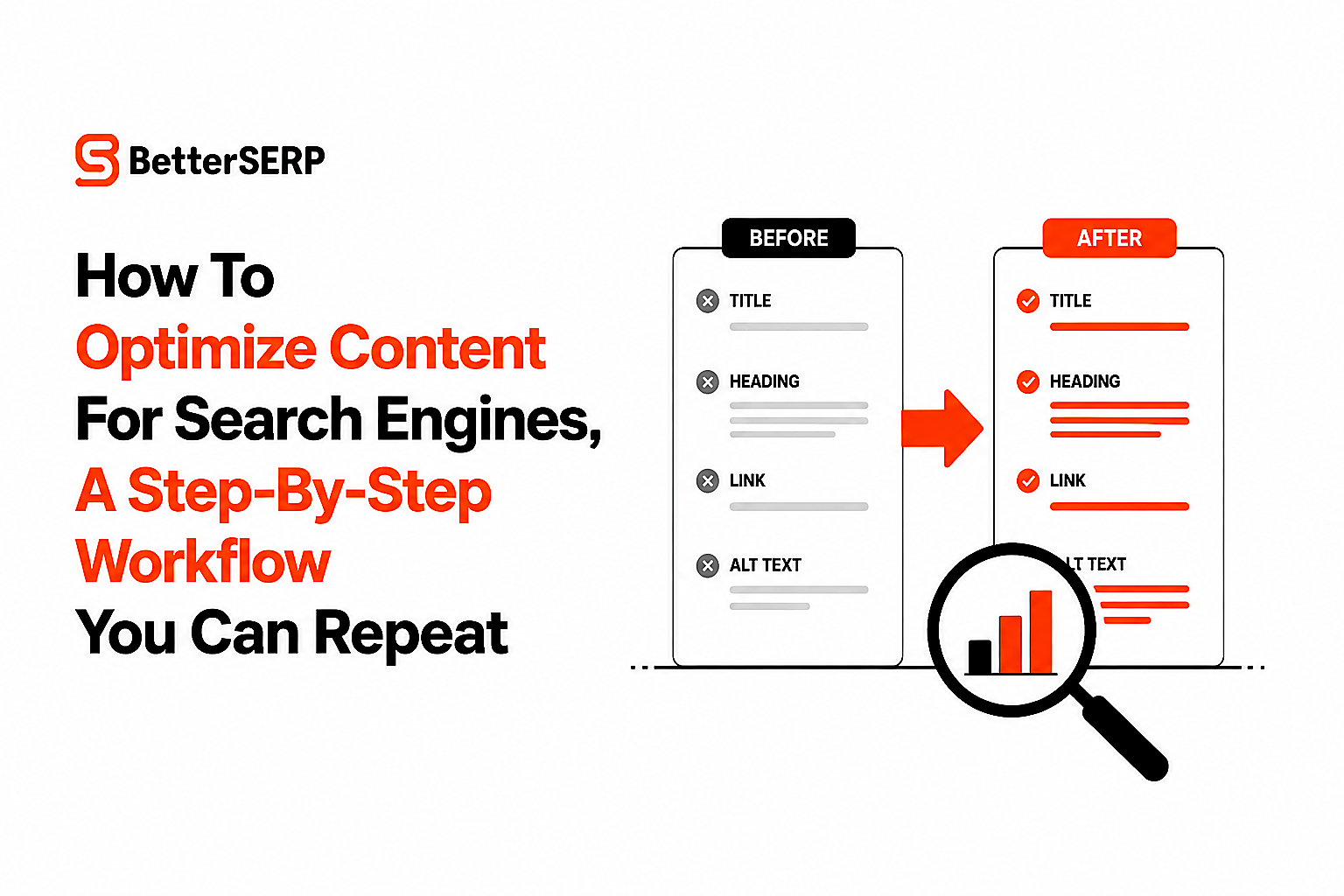
A before-and-after example shows how to optimize content for search engines better than abstract rules because each edit can be tied to a ranking or usability goal. Below is a simplified page refresh for a beginner guide that was too vague and under-structured.
Before
Title: Content Tips for Better Rankings
Meta description: Learn content tips and SEO ideas for your website.
H2s: Why Content Matters, Writing Better, Final Thoughts
Intro: Content is important for websites today and can help businesses grow online.
Internal links: None
Image alt text: seo image
After
Title: How To Optimize Content For Search Engines in 6 Practical Steps
Meta description: Learn how to optimize one page for search with a simple workflow for intent, headings, internal links, and indexing checks.
H2s: How search engines rank a page, the 6-step optimization workflow, before-and-after page example, what to fix first, checks in Search Console
Intro: How to optimize content for search engines means improving one page so it matches search intent, covers the right subtopics, and passes basic crawl and indexing checks.
Internal links: Link to related beginner resources using natural anchors such as search engine optimized content and how to do seo for blog.
Image alt text: Content optimization checklist showing title, headings, links, and indexing review
Why each change matters
The revised title names the exact task and offers a concrete number of steps. The meta description summarizes the workflow instead of using generic language. The H2s align with the real job the reader wants to complete. The intro answers the query immediately, which helps both users and generative engines extract a useful passage.
What surprised our team was how often image alt text and internal links were ignored on beginner pages. Those details rarely rescue a weak page by themselves, but they regularly improve understanding and navigation when the main structure is already solid.
The 80 20 Rule For Content SEO Tells You What To Fix First
The fastest way to improve a weak page is to fix the small set of changes that affect relevance, click-through rate, and discoverability at the same time. That is the practical 80 20 rule for content SEO: prioritize the few edits that influence the biggest share of outcomes.
A simple triage matrix
| Fix | Impact | Effort | Do first? |
|---|---|---|---|
| Rewrite title for intent and clarity | High | Low | Yes |
| Rewrite intro to answer query directly | High | Low | Yes |
| Improve H2 structure and missing subtopics | High | Medium | Yes |
| Add 2-5 internal links from related pages | Medium | Low | Yes |
| Compress images and improve alt text | Medium | Low | Usually |
| Rewrite every paragraph for style | Low | High | No |
| Add more keyword repetitions | Low | Low | No |
What to fix in the first 30 minutes
If time is tight, do these in order:
- Make the title match the searcher's task.
- Rewrite the first paragraph so the answer appears immediately.
- Replace vague H2s with task-based H2s.
- Add internal links from two or three relevant pages.
- Check that the page can be indexed and loaded properly.
After running many content audits, the pattern was clear: pages with weak titles and vague section headings often underperformed even when the body copy was acceptable. Clarity at the top of the page influences both search relevance and whether a person chooses to click and stay.
Google Search Console Gives You The First Post-Publish Edits To Make
Google Search Console shows whether a page is appearing for the right queries, getting clicked often enough, and staying indexed. That makes it the best free tool for the first review cycle after you publish or refresh content.
Check query relevance
Open the page report and review the queries that generated impressions. If the page is showing for terms adjacent to your topic but not the main term, the page may be too broad or the title may be unclear. If the page is showing for the right terms but not earning clicks, the issue is often title and snippet appeal.
Find CTR gaps
CTR gaps happen when a page has impressions and reasonable average position but fewer clicks than expected. A practical sign is a page ranking on the first two result pages with enough impressions to judge performance, yet a weak click count compared with neighboring periods. In that case, rewrite the title to be more specific, clearer, or more outcome-focused.
Confirm indexing status
Use the URL Inspection tool to confirm whether the page is indexed and whether Google can fetch it. If it is not indexed, review noindex tags, canonicals, robots rules, duplicate content issues, and thin content problems. Search performance work cannot begin until the page is actually indexable.
Look for cannibalization signals
Cannibalization means multiple pages on your site compete for the same topic and split signals. A warning sign is two pages earning impressions for nearly identical queries while neither performs strongly. If that happens, merge overlapping pages, tighten internal linking, or assign clearer intent boundaries across the pages.
For a broader primer on automation around these checks, see what is seo automation.
Decide the next edit from the data
Use one simple rule: impressions without ranking movement suggest relevance or competition issues, ranking without clicks suggests title or snippet issues, and clicks without engagement improvement suggest content quality or mismatch after the click. That decision rule keeps measurement tied to action instead of passive reporting.
Google's official guidance on creating helpful, reliable, people-first content is useful here because it pushes you toward stronger intent match and clearer satisfaction signals rather than mechanical optimization alone: Google helpful content guidance.
PDFs And Documents Can Rank, But HTML Usually Wins For Important Search Topics
PDFs and other documents can appear in search results, but HTML pages are usually easier to optimize, update, and connect through internal links. If a document targets an important query, converting the core content into HTML is often the better long-term choice.
When to keep a PDF
Keep the PDF format when the document needs to be printed, downloaded, or shared as a formal asset, such as a checklist, technical sheet, or policy document. In that case, create a hub page in HTML that summarizes the document, explains who it is for, and links to the file.
When to convert to HTML
Convert to HTML when the content answers evergreen search questions, needs regular updates, or should earn internal links from other pages. HTML gives you better control over heading structure, page titles, structured navigation, and user paths to related resources.
Minimum optimization checklist for documents
- Use a descriptive file name, such as content-optimization-checklist.pdf.
- Add a clear document title in the file metadata.
- Use real text, not text embedded in images.
- Preserve headings and reading order for accessibility.
- Link to the document from an HTML page with context.
We initially assumed downloadable assets should live only as PDFs, but support content performed better once the same information existed on indexable HTML pages with clear summaries and links to deeper documents. That approach improved discoverability without taking away the download option users still wanted.
Common Beginner Questions About Optimizing Content For Search Engines Have Straightforward Answers
Most beginners can improve rankings by learning a few core checks well instead of chasing every SEO tactic at once. The important part is consistency: one workflow, one page, one review cycle at a time.
Do you need expensive tools to start?
No. You can begin with Google Search Console, Google search results, a spreadsheet, and your CMS. Paid tools help with scale, but early gains usually come from better page focus, clearer headings, and stronger internal links.
How long does optimization take to show results?
Results vary by site authority, competition, crawl frequency, and the size of the changes. Small title and intro updates can influence CTR quickly once the page is reprocessed, while larger ranking gains from structural improvements may take longer. What matters is that you document the date of each change so you can compare before and after periods honestly.
Should you optimize old posts or publish new ones?
Start with old posts when they already have impressions, rankings, or backlinks but weak engagement. Start with new posts when your site lacks coverage for important topics. A simple rule is to refresh existing pages where Search Console already shows demand, then expand into missing topics once the easy fixes are done.
FAQ
Can I do SEO content optimization myself?
Yes. A beginner can handle page-level optimization by focusing on one search intent, stronger titles and headings, internal links, and Search Console checks. The work becomes manageable when you use the same checklist for every page.
What is the most important part of content optimization?
The most important part is intent match. A page that directly answers the searcher's question and covers the expected subtopics has a stronger foundation than a page that simply repeats a keyword.
How many times should I use a keyword on a page?
Use the primary keyword where it helps clarity, such as the title, intro, one heading, and natural mentions in the body. There is no useful fixed number for repetition, and forced usage can make the page worse.
What should I check after publishing an optimized page?
Check indexing status, impressions, average position, CTR, and the queries that trigger the page in Google Search Console. Those signals show whether your next edit should focus on relevance, snippet appeal, or content quality.
If you want a consistent way to run this workflow across many posts, build a reusable checklist or template that covers research, on-page edits, QA, and Search Console review. Better SERP offers AI workflow templates for SEO agencies that can help standardize that process and speed up repeatable content optimization without changing the strategy behind it.
Read Next
View allAI Blogging Explained, A Practical Workflow That Still Sounds Human
Learn ai blogging with a repeatable workflow, copy-paste prompts, and a publish-gate checklist to create SEO-ready posts without losing brand voice.
Search Engine Optimized Content for Beginners, the Simple Workflow That Works
Learn search engine optimized content with a simple workflow: match intent, structure pages, and polish on-page SEO with a full rewrite example.

AI And SEO, What’s The Difference And How To Use Both Without Losing Quality
Learn ai and seo differences, where AI helps most, and a repeatable workflow with prompts, QA, and tool stacks to keep quality high.
