
What Is SEO Automation and How It Works, A Beginner-Friendly Guide
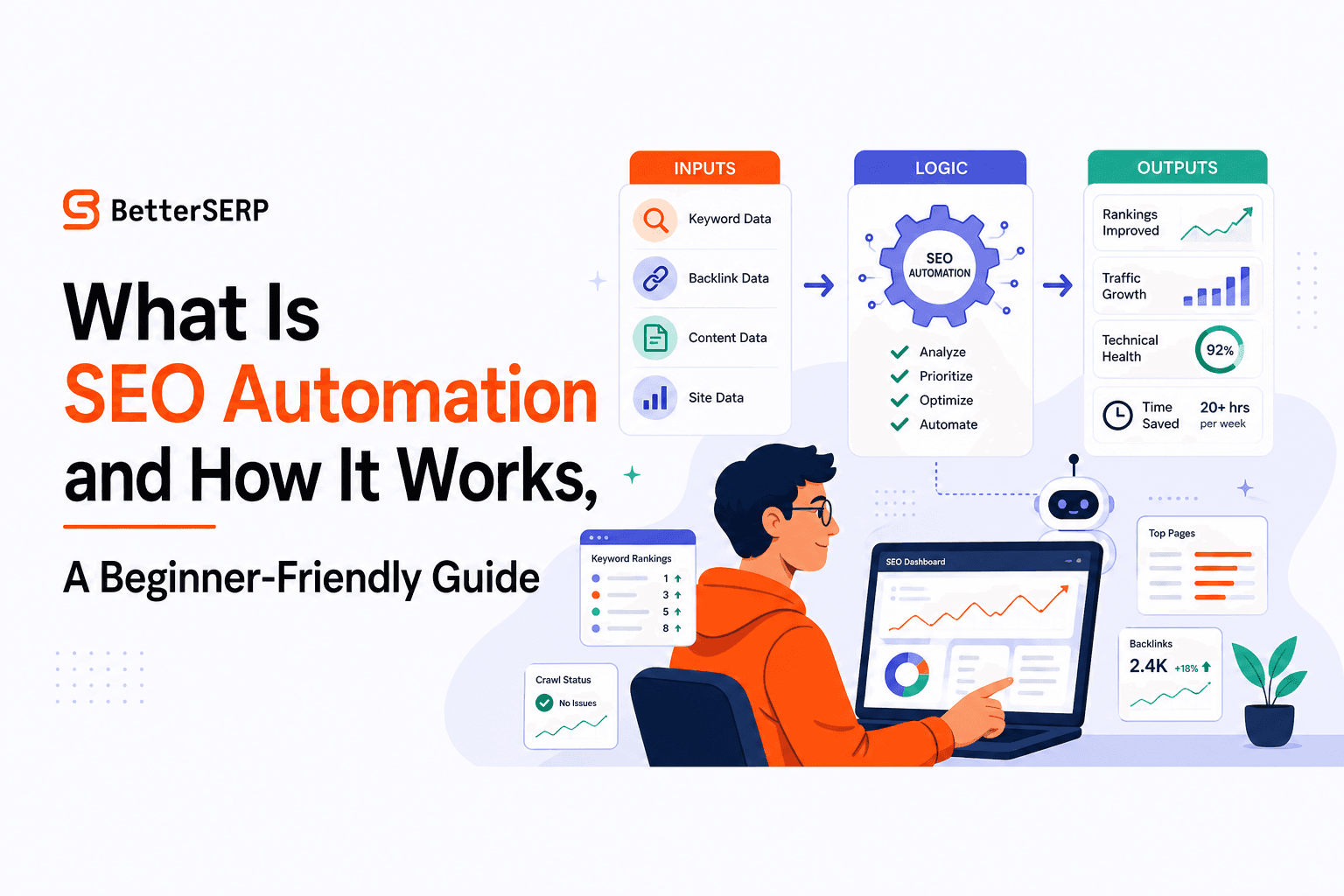
If you have ever wondered what is seo automation, it is simply using rules, scripts, and AI to handle repeatable SEO tasks (monitoring, reporting, publishing steps) so humans can focus on strategy and decisions.
- SEO automation is inputs (data) + logic (rules/AI) + outputs (actions), not “set it and forget it.”
- Start with monitoring and QA automations first, then move into content workflows with human checkpoints.
- Measure impact with time saved, faster issue resolution (MTTR), and fewer preventable SEO mistakes.
What Is SEO Automation, Really
Definition in plain English
What is seo automation in practice? It is the use of software to run recurring SEO work on a schedule or in response to triggers. Think: “If rankings drop for an important page, notify us and open a task,” or “Every Monday, pull Search Console data, summarize changes, and email a report.”
The pain it solves is not lack of SEO knowledge. It is the grind: checking dashboards, copying metrics, re-running audits, formatting briefs, and repeating the same QA steps across pages and clients. Left manual, these tasks create delays, missed issues, and inconsistent execution.
Manual SEO vs AI-only SEO vs automation
- Manual SEO: a human does every step (accurate, but slow and inconsistent at scale).
- AI-only SEO: prompts generate outputs, but without guardrails it can hallucinate facts, miss intent, or ship risky changes.
- SEO automation: a system that reliably moves data through checks and workflows, with humans approving the high-impact decisions.
Set expectations for beginners
A useful mindset: automation should reduce repetitive effort and shorten time-to-notice and time-to-fix. It will not magically create authority, links, or product-market fit. In our experience working with small teams managing multiple sites, the first big win is catching problems earlier, not “ranking overnight.”
How SEO Automation Works, Inputs to Logic to Outputs
The simple architecture model
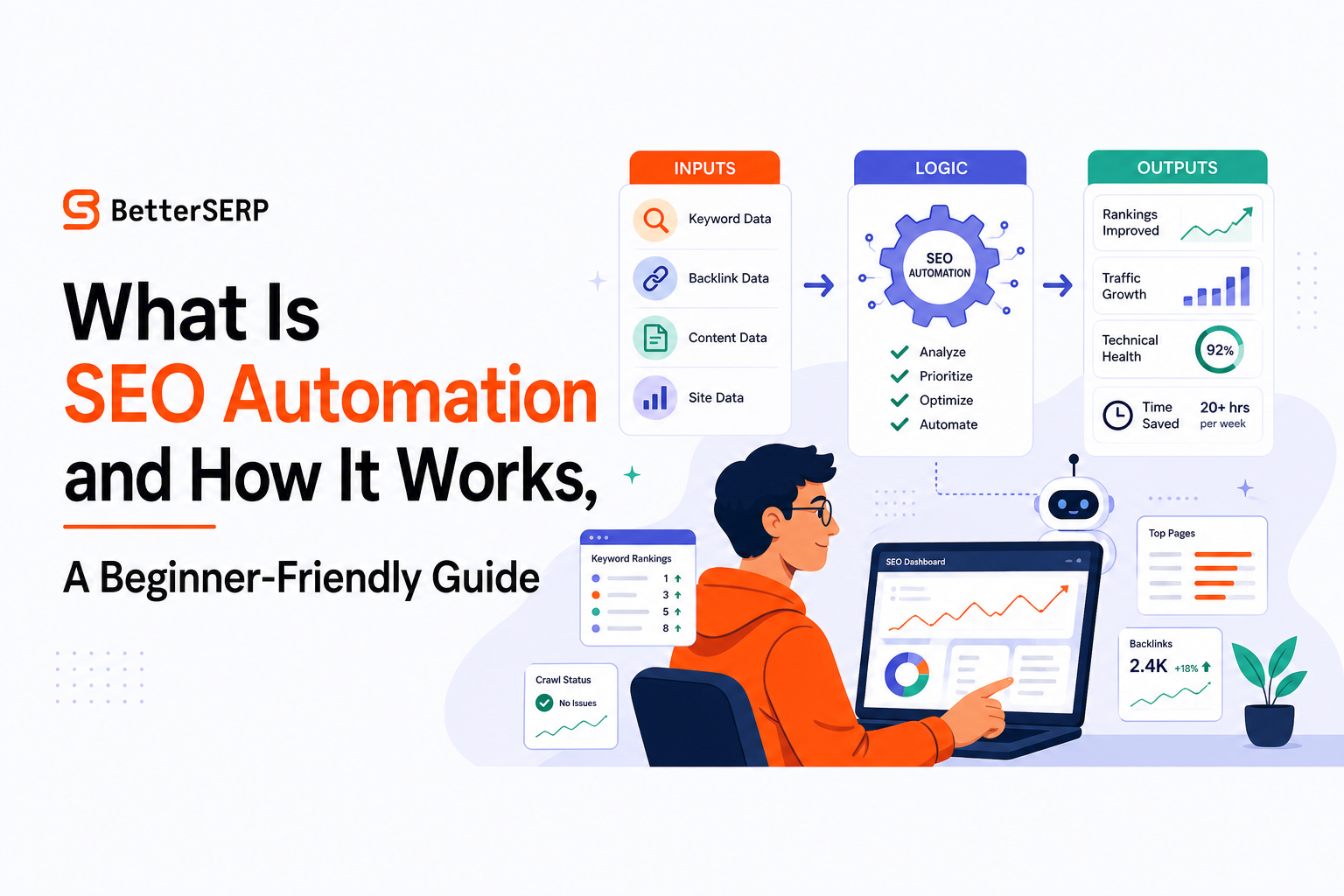
Most automations follow the same pattern:
- Inputs: data sources like Google Search Console, Google Analytics, crawl data, page content, sitemaps, server logs, backlink alerts, or a keyword list.
- Logic: rules (thresholds, comparisons, schedules) and sometimes AI (classification, summarization, drafting).
- Outputs: notifications, tasks, dashboards, content briefs, updated metadata, published drafts, or a prioritized fix list.
Here is a “diagram in words” you can reuse: Source (GSC) → Transform (filter to money pages, compare last 7 days vs prior 7) → Decide (if clicks down 20% and position worse by 2+) → Act (send Slack alert + create ticket + attach top queries).
One end-to-end example you can copy
Goal: catch technical or intent issues before they become a month-long traffic dip.
- Input: daily GSC export of top 50 pages by clicks.
- Logic: compute deltas (clicks, impressions, CTR, avg position) vs previous 7-day period; flag pages where clicks drop ≥20% and impressions are flat or up (often a relevance or SERP issue).
- Enrichment: pull top queries for the flagged page and the query-level position changes.
- Output: a ticket that includes (a) changed queries, (b) page URL, (c) last content update date, and (d) recommended next step checklist (refresh title/meta, check cannibalization, check indexing, check internal links).
When we tested this exact alerting pattern on a multi-site portfolio, what surprised our team was how often the “drop” was actually a simple indexing or canonical issue we could resolve in under 30 minutes once it was surfaced quickly.
Three Platform-Agnostic SEO Automation Blueprints You Can Copy Today
Blueprint 1: SEO anomaly alerts (rankings, clicks, indexing)
Use when: you want early warning without living in dashboards.
- Define a watchlist: top landing pages, top converting pages, and top priority keywords (start with 20 to 50 items).
- Pick thresholds: clicks down 20% WoW, impressions down 30% WoW, average position worse by 2+, indexed pages down 5%.
- Schedule checks: daily for traffic, weekly for indexing coverage.
- Route outputs: Slack/email alert plus a task in your tracker.
- Attach context: last 7 days vs prior 7, top queries, and any recent releases.
Guardrail: avoid noisy alerts by adding a minimum volume filter (for example, only alert if the page had at least 50 clicks in the prior period).
Blueprint 2: On-page QA before publishing (titles, headings, internal links)
Use when: you publish frequently and want consistent SEO basics.
- Input: draft URL or HTML + target keyword + internal link pool (a list of important pages and preferred anchors).
- Logic checks:
- Title length 50 to 60 characters; includes target keyword naturally.
- One H1 only; H2s map to subtopics; no skipped heading levels.
- Keyword appears in first 100 words and at least one H2 (when appropriate).
- At least 2 internal links to relevant pages; no broken links.
- Meta description 140 to 155 characters; matches intent.
- Output: pass/fail plus a fix list, then publish only if it passes.
Guardrail: treat this as QA, not a scoring game. A perfect checklist does not guarantee rankings, but it prevents avoidable mistakes.
Blueprint 3: Content refresh pipeline (identify, brief, update, re-submit)
Use when: you already have content and want compounding gains.
- Find candidates: pages ranking positions 5 to 20 with high impressions, or pages with declining CTR.
- Classify the problem (rule-based):
- High impressions + low CTR: likely title/meta mismatch.
- Position drop + impressions stable: likely intent shift or competition.
- Impressions down: indexing, cannibalization, or topic demand shift.
- Generate a brief: top queries to cover, missing subtopics, internal links to add, FAQ candidates.
- Human review: approve changes, verify claims, update screenshots/pricing/dates.
- Output: publish update and request reindexing where appropriate.
This is one of the safest ways to answer what is seo automation with real ROI: you are not guessing new topics, you are systematically improving pages that already have demand signals.
A Free and Low-Cost SEO Automation Starter Stack
You can build a starter stack for $0 to $50 per month by focusing on monitoring, reporting, and QA first. The main constraint is usually setup time, not software cost.
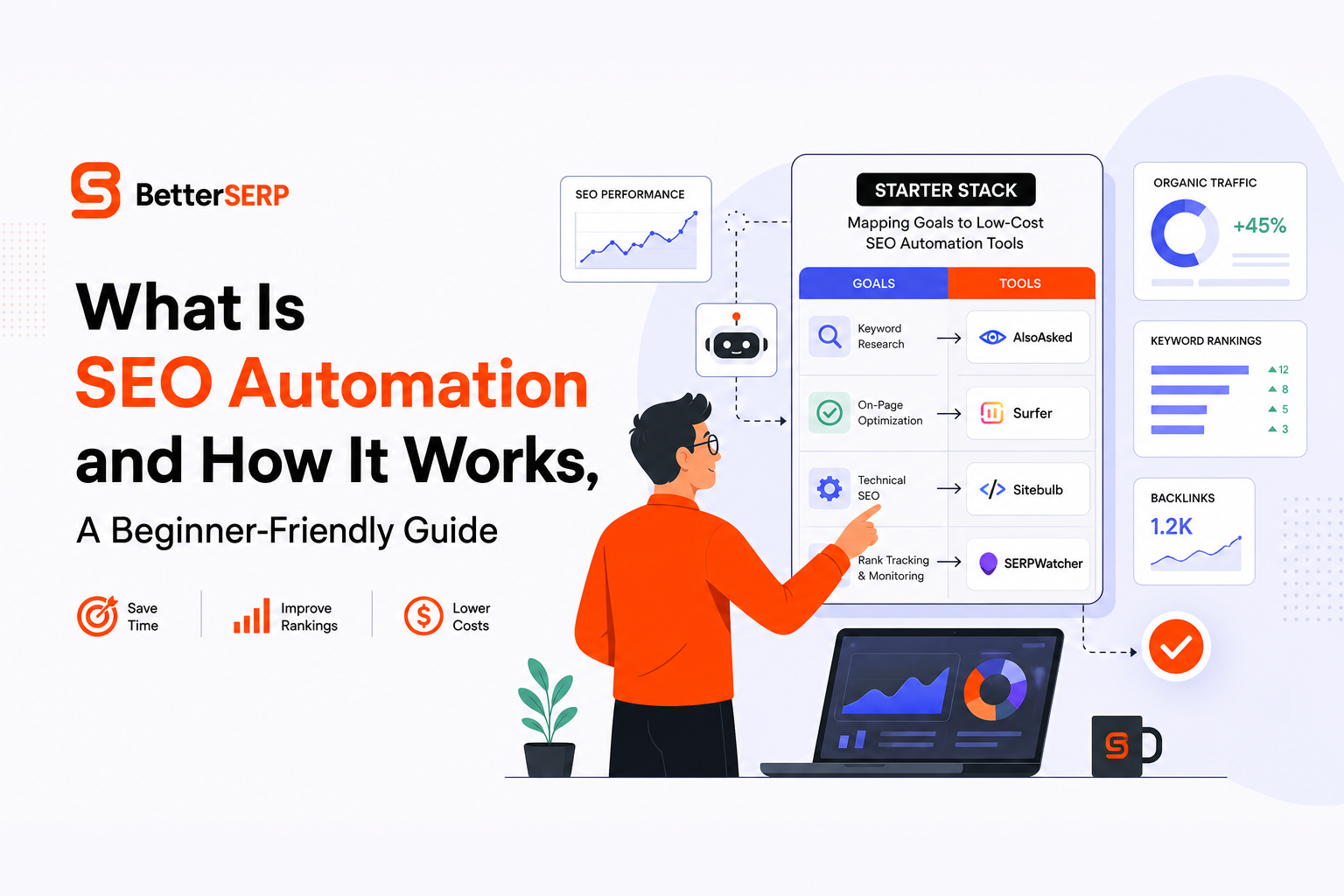
Starter stack options mapped to goals
| Goal | $0 tools | $10 to $50/month add-ons | Setup time | What to monitor weekly |
|---|---|---|---|---|
| Traffic and query change alerts | Google Search Console, Google Sheets | Email/Slack automation tool (optional) | 60 to 120 min | Top pages clicks WoW, top queries position shifts |
| Simple dashboards and reporting | Looker Studio, GA4 | Connector or scheduled exports (optional) | 1 to 3 hours | Landing pages, conversions, brand vs non-brand split |
| Technical spot checks | Free crawl limits from common crawlers, sitemap checks | Paid crawler tier (optional) | 1 to 2 hours | Indexable pages, 404s, redirects, canonical anomalies |
| Publishing QA workflow | CMS checklists + Sheets | Automation platform or lightweight scripts | 2 to 4 hours | Title/meta compliance, internal links, broken links |
A practical setup sequence (so you do not over-automate)
- Week 1: create anomaly alerts for top pages and indexing coverage.
- Week 2: standardize an on-page QA checklist and make it “required to publish.”
- Week 3: build a refresh candidate list and run it weekly.
- Week 4: add AI only where it saves time safely (summaries, draft briefs), not where it can break things (auto-deleting pages, auto-changing canonicals).
After running audits across dozens of sites, the pattern was clear: teams get the biggest early wins from alerting and QA, because those prevent the silent errors that cost weeks of traffic before anyone notices.
AI In SEO Automation, What To Automate vs What Needs Humans
Can ChatGPT do SEO? A yes/no matrix
AI can help with SEO, but it should sit inside an automation that has inputs, constraints, and approval steps. If you are learning what is seo automation, this is the difference between “AI wrote something” and “a controlled workflow produced something publishable.”
| SEO task | Automate with AI? | Why | Human checkpoint |
|---|---|---|---|
| Summarize GSC changes and trends | Yes | Low risk, saves time | Spot-check anomalies and conclusions |
| Create content briefs from SERP patterns | Yes, with constraints | Speeds research, but can miss nuance | Approve intent, outline, and claims |
| Draft titles/meta descriptions at scale | Yes, with rules | Easy to standardize and test | Review for accuracy and brand voice |
| Publish content automatically | Sometimes | Great for scale, risky without QA | Pre-publish QA gate and rollback plan |
| Change technical settings (canonicals, robots, redirects) | No (not fully) | High blast radius if wrong | Technical SEO review required |
AI guardrails that keep automation safe
- Source grounding: provide the page HTML, product docs, and approved facts; do not rely on “general knowledge” for claims.
- Hard rules: character limits, required sections, banned phrases, and required internal links.
- Human-in-the-loop gates: approvals for anything that changes URLs, templates, or sitewide elements.
- Versioning: keep old titles/meta and page content so you can revert quickly.
How To Measure SEO Automation Impact and Avoid Common Pitfalls
KPIs that prove automation is working
Do not only measure rankings. Measure operational outcomes that predict SEO stability.
- Time saved per week: track hours spent on reporting, checks, and formatting before vs after.
- MTTR (mean time to resolve): how long it takes to detect and fix issues like indexing drops, broken internal links, or accidental noindex.
- Coverage of QA: percentage of pages that pass your pre-publish checklist.
- Content throughput: drafts produced and published per month without increasing headcount.
- Error rate: number of preventable mistakes (broken links, missing meta, duplicate H1s) per 100 pages.
Common pitfalls and how to prevent them
- Pitfall: Automating the wrong thing first. Fix: start with monitoring and QA, then automate content steps.
- Pitfall: Noisy alerts that get ignored. Fix: add minimum volume thresholds and route alerts to a single owner.
- Pitfall: AI-generated inaccuracies. Fix: require citations from approved sources and add a fact-check gate.
- Pitfall: No rollback plan. Fix: store previous versions and ship changes in small batches.
A simple governance checklist (copy/paste)
- Define “high-risk changes” (templates, robots, canonicals, redirects) that always require human approval.
- Log every automation run (time, inputs, outputs, who approved).
- Review automation performance monthly (false alerts, missed issues, time saved).
- Run changes in batches of 5 to 10 pages before scaling to hundreds.
Once you can answer what is seo automation with these metrics, it becomes a business tool, not a buzzword.
FAQ about SEO automation
What is SEO automation in one sentence?
What is seo automation? It is using scheduled or trigger-based workflows to monitor, improve, and publish SEO work with consistent rules and human approvals where needed.
Is SEO automation safe for beginners?
Yes, if you start with low-risk automations like alerts, reporting, and pre-publish QA, and you require human review for technical changes and final publishing.
What should I automate first in SEO?
Automate (1) anomaly detection from Search Console, (2) a repeatable on-page QA checklist, and (3) a weekly content refresh candidate report. These reduce missed issues and prevent avoidable mistakes.
Will automating SEO guarantee higher rankings?
No. Automation improves consistency and speed, but rankings still depend on search intent match, content quality, authority, and technical health. The main win is faster detection and execution.
If you want to operationalize these workflows without stitching together dozens of tools, Better SERP provides AI workflow templates designed for SEO agencies so you can go from keyword inputs to publish-ready posts with built-in checks and scheduling.